For forex, futures, stocks and options
The trading journal that shows what your habits cost.
It fills itself in from MT4/MT5, cTrader and NinjaTrader, so there's nothing to type. Then it puts a dollar figure on revenge trades, bad sessions and oversized positions.
Free plan, no card. Or open your own history file without signing up.
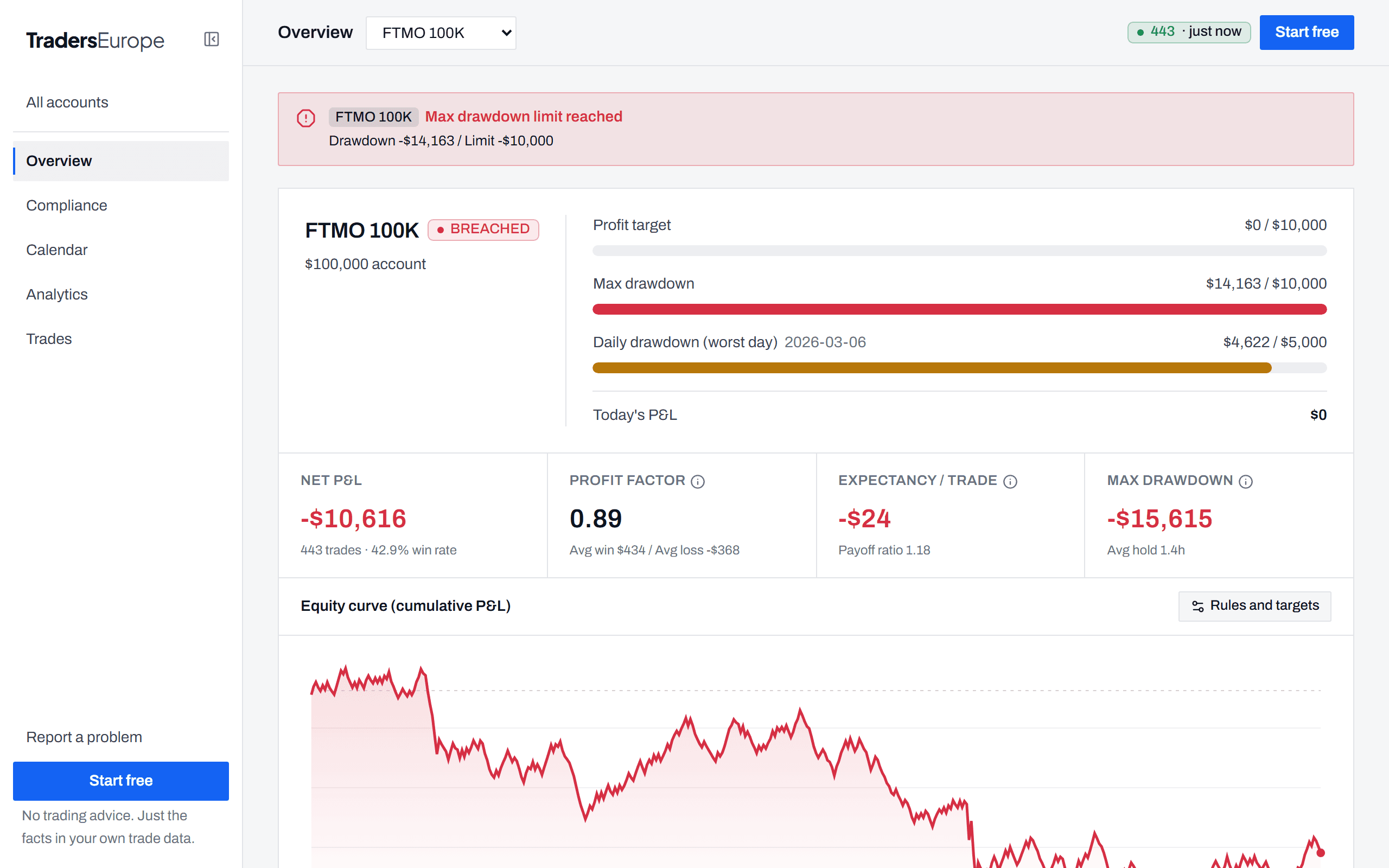
- As traded
- −$10,616
- Without the ✗ trades
- +$17,275
Syncs live from
- MetaTrader 4
- MetaTrader 5
- cTrader
- NinjaTrader Desktop
Files from Interactive Brokers, thinkorswim, Webull, Tradovate, NinjaTrader web, TopstepX, Quantower, ATAS
The questions it answers, with your own trades
Am I revenge trading?
−$20,319
95 trades opened within 15 minutes of a loss, counted on their own with their win rate.
Which day or session is losing me money?
−$23,283
Fridays, the one losing weekday. P&L is split by day, hour, session and symbol.
Is my position size all over the place?
0.88
Lot-size variation as one number. Consistent sizing sits near zero.
What would following my rules have made?
+$17,275
The same account without the trades marked ✗, against −$10,616 as traded.
Figures from the sample account in the live demo. Open it yourself
How it works
Set up once. It runs on its own.
- MetaTrader 5Live
- cTraderNot connected
- NinjaTraderNot connected
Step 1Connect once
Add a read-only add-on to MT4/MT5, cTrader or NinjaTrader, or drop in a history file.
- XAUUSD14:02−$412
- EURUSD14:31+$230
- US50015:07−$118
Step 2Trade as usual
Each closed trade arrives within a minute. Nothing to type.
- XAUUSD−$412✗
- EURUSD+$230✓
- US500−$118✓
Step 3Read the answers
Mark the trades where you broke your rules and see what they cost.
Inside the app
See it before you sign up
Real screens from the live demo. Pro features are marked.
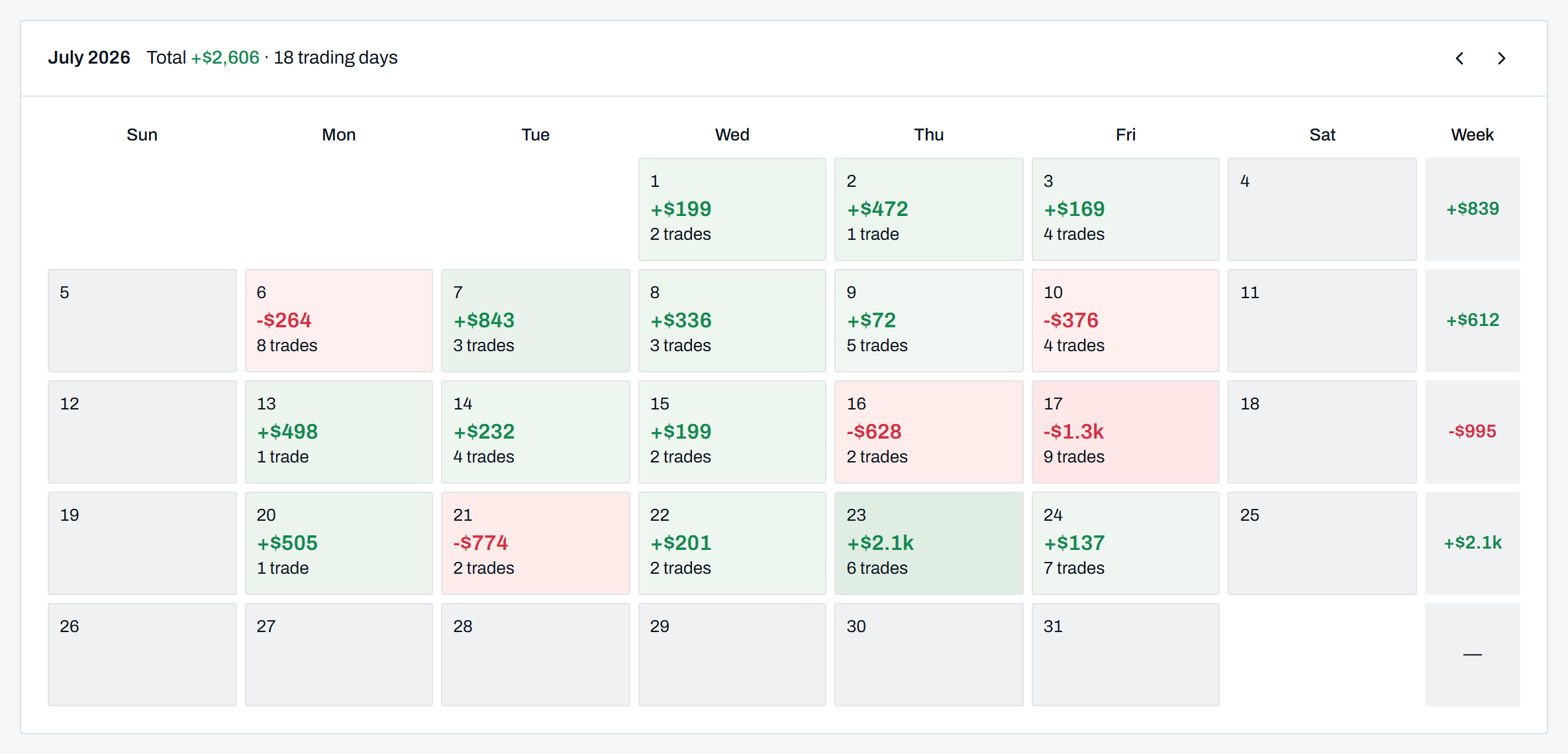
Am I overtrading?
Each day's P&L next to its trade count, so the days you traded twice as much stand out.
Security
We keep as little as possible
- No passwords or account numbers
- We never ask for your broker login, password or account number.
- The add-on can't trade
- It has no order functions. It only reads closed trades, and its source code comes with your account.
- Numbers you can check
- Every import shows the trade count and net total to check against your statement.
Pricing
Start free. Upgrade when you want more.
Free
$0 forever
- 1 account
- Auto-sync and file import
- Calendar, trade list and ✓/✗ rating
- Invite a friend: you both get a free month of Pro
Pro
$29 /month
- 14-day free trial
- Up to 25 accounts
- What-if, replay and full breakdowns
- Loss alerts
Is there a free plan?
Yes, and it doesn't expire. One account with auto-sync, file import, the calendar and your trade list.
Is the add-on safe to run?
It only reads closed trades. It can't place or change orders, and it never asks for your password.
Which platforms work?
MT4/MT5, cTrader and NinjaTrader Desktop (NT8) sync on their own. Files import from Interactive Brokers, thinkorswim, Webull, Tradovate, the NinjaTrader web and mobile app, TopstepX, Quantower and ATAS.
Find out what your habits cost. Free.
No card. Setup takes about 3 minutes, and your past trades come in on the first sync.